Transparency for Opacity maps using Arnold Standard Surface shaders does not work in the Viewport in 3ds Max
Issue:
When attempting to view the transparency of an Opacity map in the 3ds Max Viewport using an Arnold Standard Surface shader, the object which the shader is applied to does not show any transparency.
Selecting the “Show Shaded Material in Viewport” option does not allow for the transparency to be viewed either.
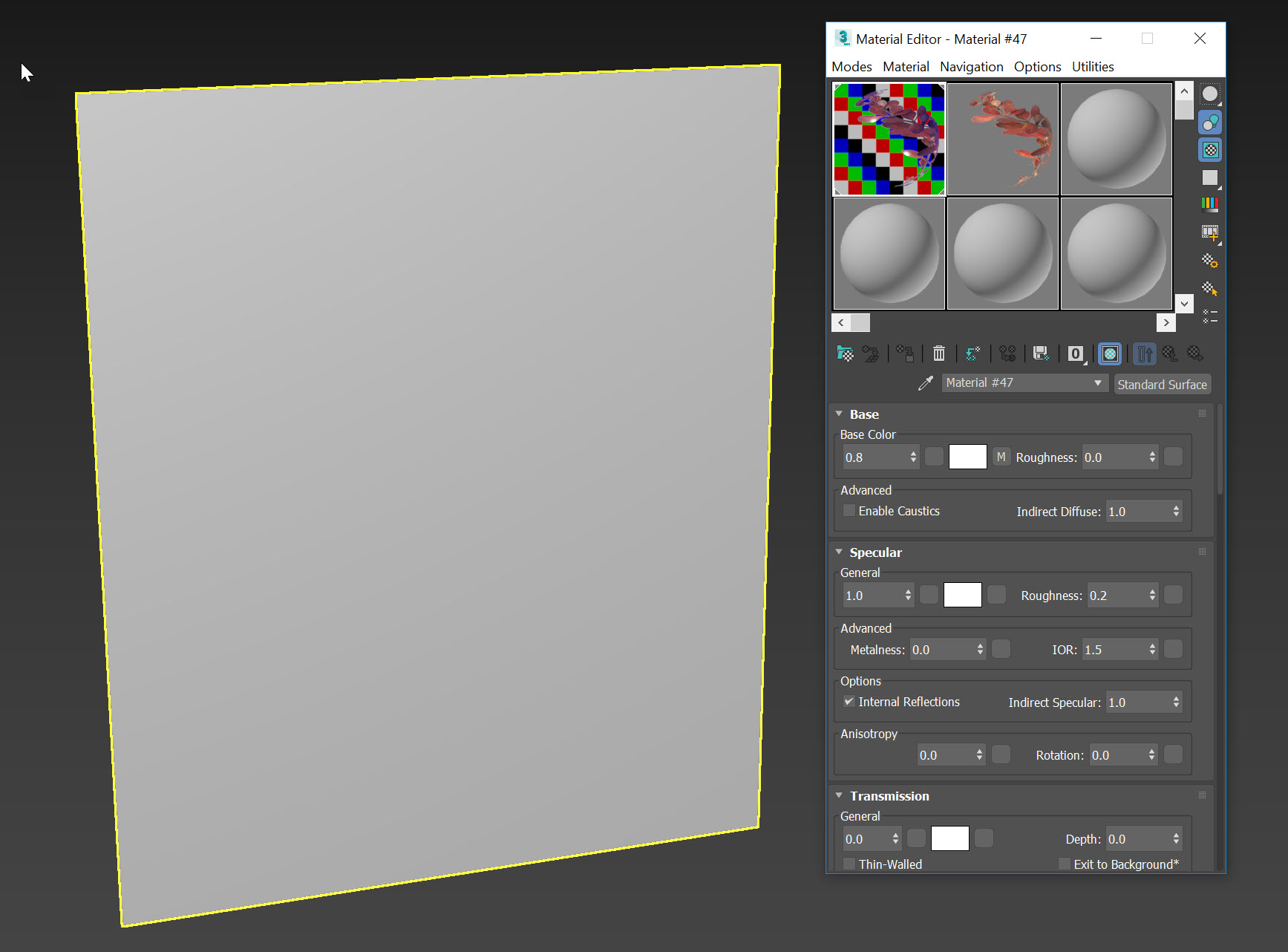
Plane with an applied Arnold Standard Surface material using a Diffuse and Opacity map in 3ds Max.
Environment:
Arnold render engine
Causes:
At this time, this is the design and use of MAXtoA in 3ds Max.
Solution:
In order to view the transparency of Opacity mapping in the Viewport using Arnold as the active render engine, there are two options:
Use ActiveShade in the Viewport
If using Arnold Standard Surface shaders, transparency is not respected in the Viewports.
However, ActiveShade allows for a Viewport to become the ActiveShade renderer which in turn renders and displays transparency of all types using Arnold. This option is used to see ‘final product’ renders without hitting the Render button.
However, ActiveShade allows for a Viewport to become the ActiveShade renderer which in turn renders and displays transparency of all types using Arnold. This option is used to see ‘final product’ renders without hitting the Render button.
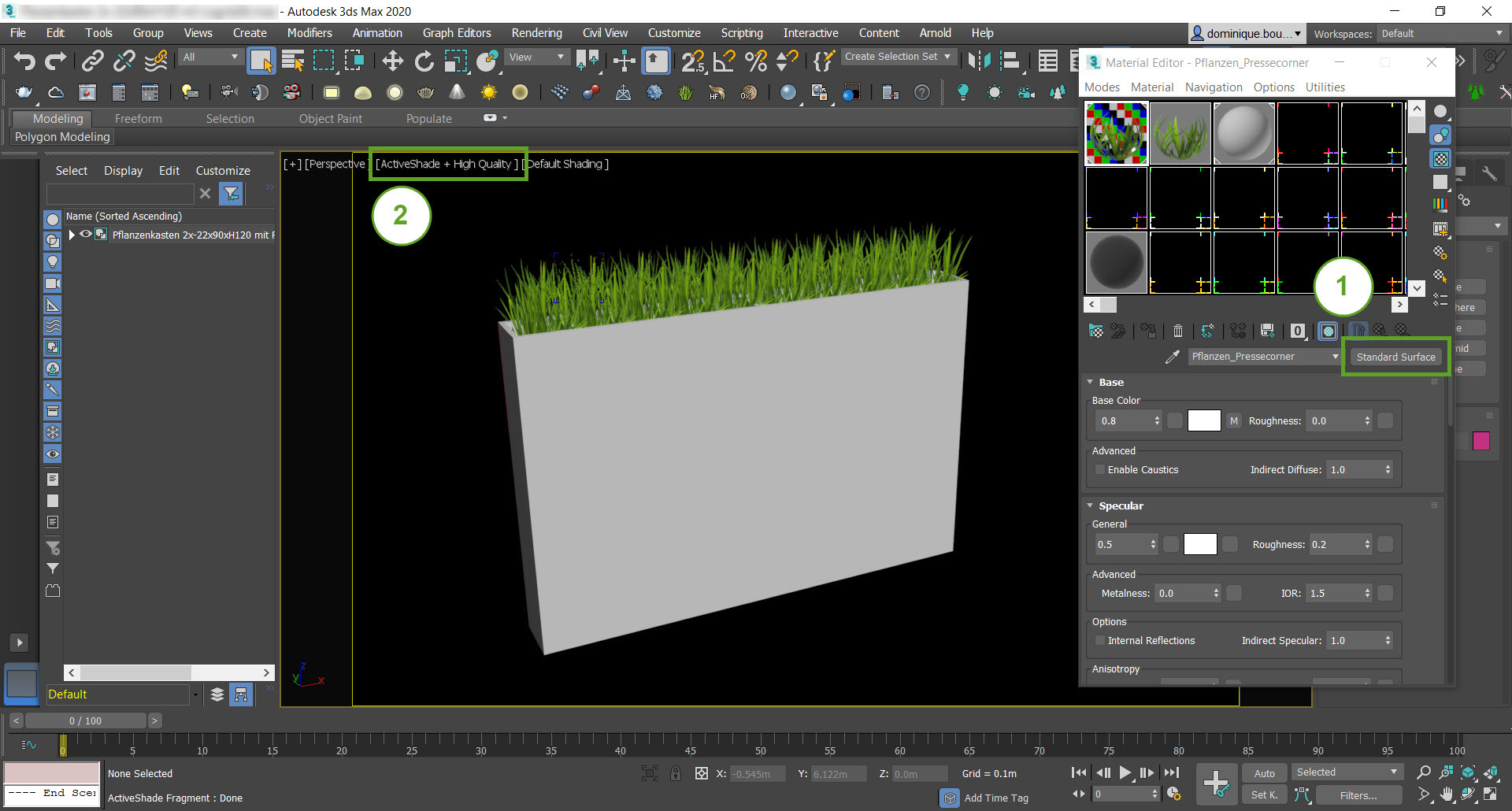
Use Physical Materials
Since the Physical Materials are Arnold compatible, they can be used to view transparency in the Viewport without using ActiveShade.

Comments
Post a Comment