Issue:
Maya crashes when attempting to apply materials, editing image planes, open the Attribute Editor and other functions under Mac OS 10.14 (Mojave).
Environment:
macOS 10.14, Mojave
Causes:
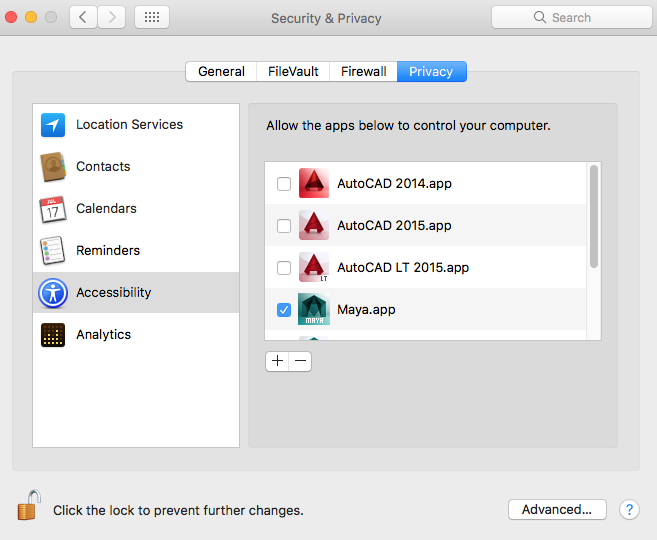
New security changes in Mojave require Maya to be granted access to control the computer.
Solution:
To grant Maya the necessary permissions and avoid this behavior, follow these steps:
- Close Maya.
- Open the MacOS System Preferences.
- Click on “Security & Privacy.”
- Go to the “Privacy” tab.
- In the left column select “Accessibility.”
- Click on the lock at the bottom and enter the credentials to allow you to make changes.
- In the right column, click the check-mark box next to the Maya.app.
- Click on the lock to finish.
Comments
Post a Comment